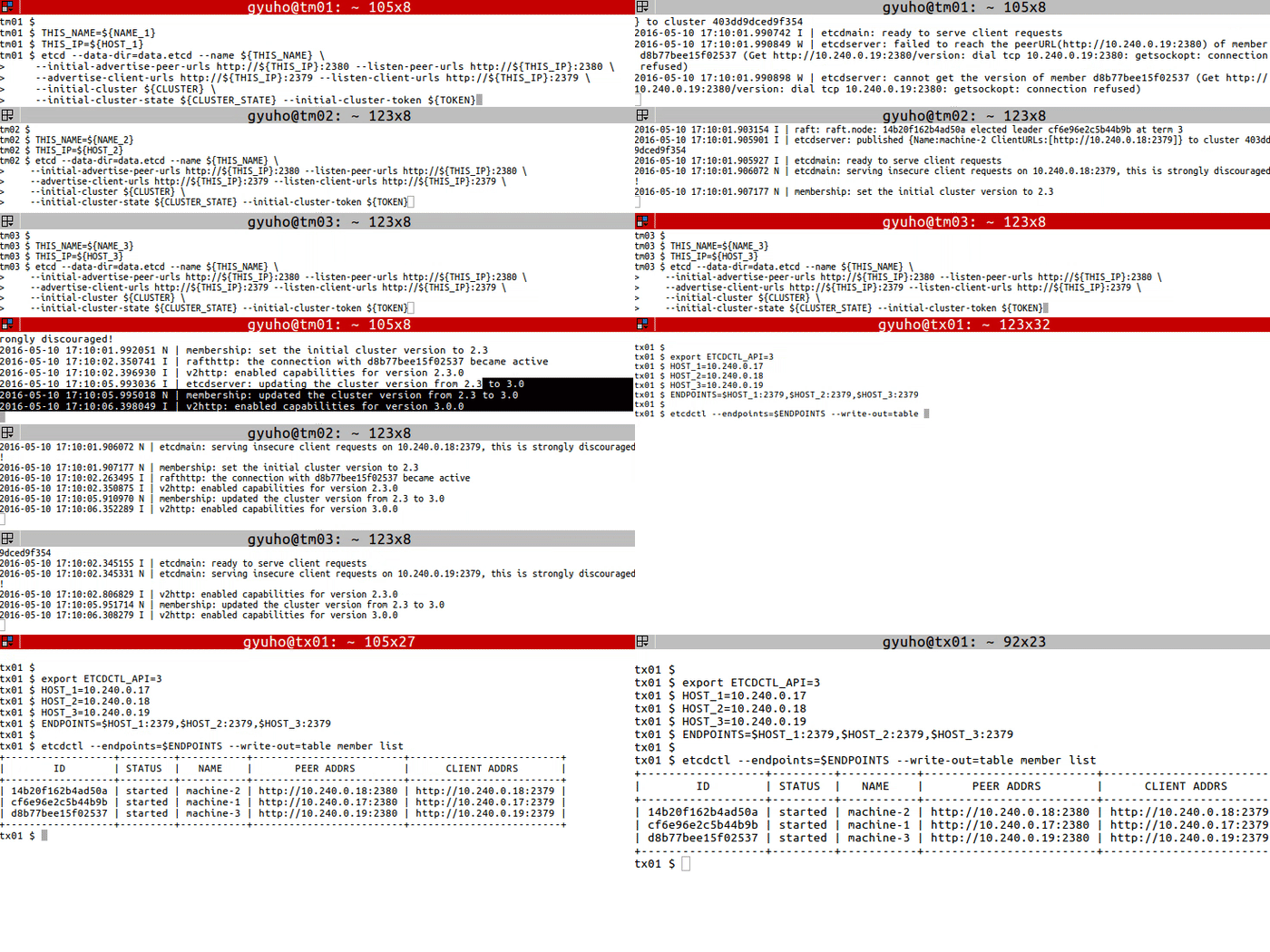
exportETCDCTL_API=3HOST_1=10.240.0.17
HOST_2=10.240.0.18
HOST_3=10.240.0.19
ENDPOINTS=$HOST_1:2379,$HOST_2:2379,$HOST_3:2379
etcdctl --endpoints=$ENDPOINTS member list
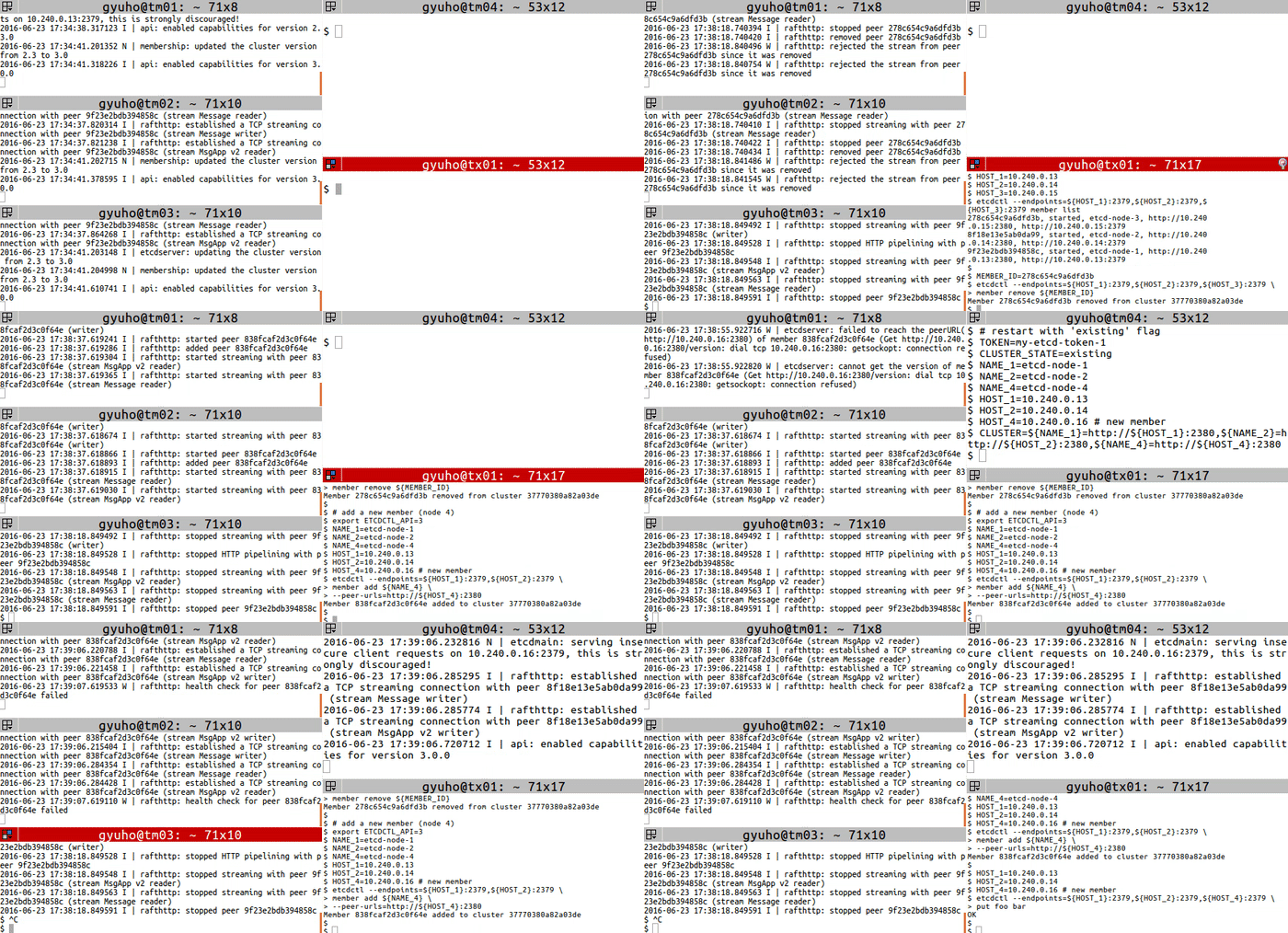
# get member IDexportETCDCTL_API=3HOST_1=10.240.0.13
HOST_2=10.240.0.14
HOST_3=10.240.0.15
etcdctl --endpoints=${HOST_1}:2379,${HOST_2}:2379,${HOST_3}:2379 member list
# remove the memberMEMBER_ID=278c654c9a6dfd3b
etcdctl --endpoints=${HOST_1}:2379,${HOST_2}:2379,${HOST_3}:2379 \
member remove ${MEMBER_ID}# add a new member (node 4)exportETCDCTL_API=3NAME_1=etcd-node-1
NAME_2=etcd-node-2
NAME_4=etcd-node-4
HOST_1=10.240.0.13
HOST_2=10.240.0.14
HOST_4=10.240.0.16 # new memberetcdctl --endpoints=${HOST_1}:2379,${HOST_2}:2379 \
member add ${NAME_4}\
--peer-urls=http://${HOST_4}:2380
接下来,使用 --initial-cluster-state existing 标志启动新成员:
# [WARNING] If the new member starts from the same disk space,# make sure to remove the data directory of the old member## restart with 'existing' flagTOKEN=my-etcd-token-1
CLUSTER_STATE=existing
NAME_1=etcd-node-1
NAME_2=etcd-node-2
NAME_4=etcd-node-4
HOST_1=10.240.0.13
HOST_2=10.240.0.14
HOST_4=10.240.0.16 # new memberCLUSTER=${NAME_1}=http://${HOST_1}:2380,${NAME_2}=http://${HOST_2}:2380,${NAME_4}=http://${HOST_4}:2380
THIS_NAME=${NAME_4}THIS_IP=${HOST_4}etcd --data-dir=data.etcd --name ${THIS_NAME}\
--initial-advertise-peer-urls http://${THIS_IP}:2380 \
--listen-peer-urls http://${THIS_IP}:2380 \
--advertise-client-urls http://${THIS_IP}:2379 \
--listen-client-urls http://${THIS_IP}:2379 \
--initial-cluster ${CLUSTER}\
--initial-cluster-state ${CLUSTER_STATE}\
--initial-cluster-token ${TOKEN}
2 - 开发任务
使用 etcd 作为键值存储的应用开发步骤指南
2.1 - 从 etcd 中读取
在集群中读取值
先决条件
安装 etcdctl
步骤
使用 get 子命令从 etcd 读取:
$ etcdctl --endpoints=$ENDPOINTS get foo
foo
Hello World!
$
其中:
foo 为请求的键
Hello World! 为获取的值
或者,以格式化输出形式:
$ etcdctl --endpoints=$ENDPOINTS --write-out="json" get foo
{"header":{"cluster_id":289318470931837780,"member_id":14947050114012957595,"revision":3,"raft_term":4,
"kvs":[{"key":"Zm9v","create_revision":2,"mod_revision":3,"version":2,"value":"SGVsbG8gV29ybGQh"}]}}
$
其中 write-out="json" 会导致值以 JSON 格式输出(注意:键不会被返回)。
2.2 - 向 etcd 写入
向 etcd 集群添加一个键值对
先决条件
安装 etcdctl
步骤
使用 put 子命令写入键值对:
etcdctl --endpoints=$ENDPOINTS put foo "Hello World!"
$ etcdctl --endpoints=$ENDPOINTS get PREFIX --prefix
全局选项
--endpoints=[127.0.0.1:2379], gRPC endpoints
选项
--prefix, get a range of keys with matching prefix
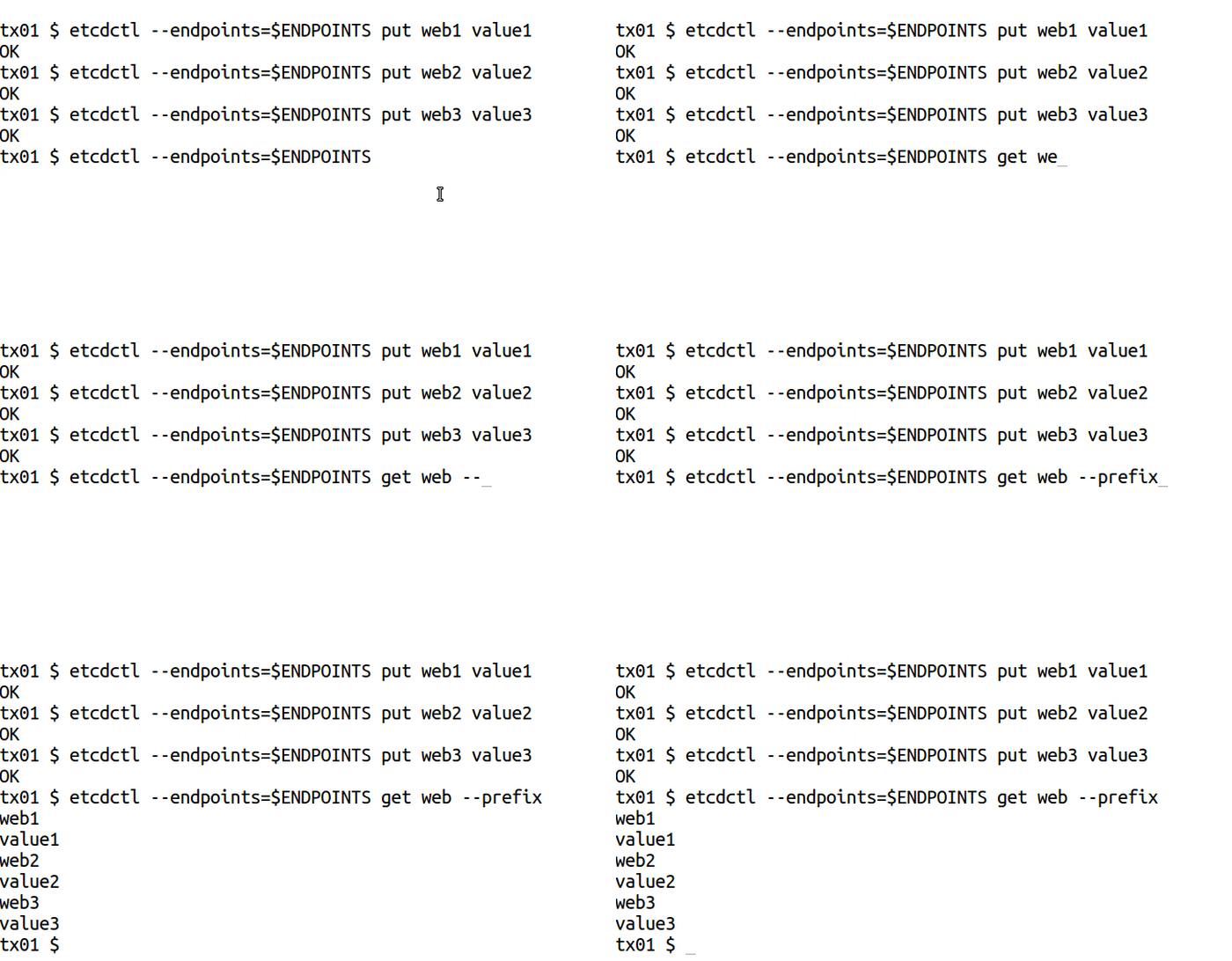
示例
etcdctl --endpoints=$ENDPOINTS put web1 value1
etcdctl --endpoints=$ENDPOINTS put web2 value2
etcdctl --endpoints=$ENDPOINTS put web3 value3

etcdctl --endpoints=$ENDPOINTS get web --prefix
--prefix[=false]: delete keys with matching prefix
--prev-kv[=false]: return deleted key-value pairs
--from-key[=false]: delete keys that are greater than or equal to the given key using byte compare
--range[=false]: delete range of keys without delay
继承自父命令的选项
--endpoints="127.0.0.1:2379": gRPC endpoints
示例
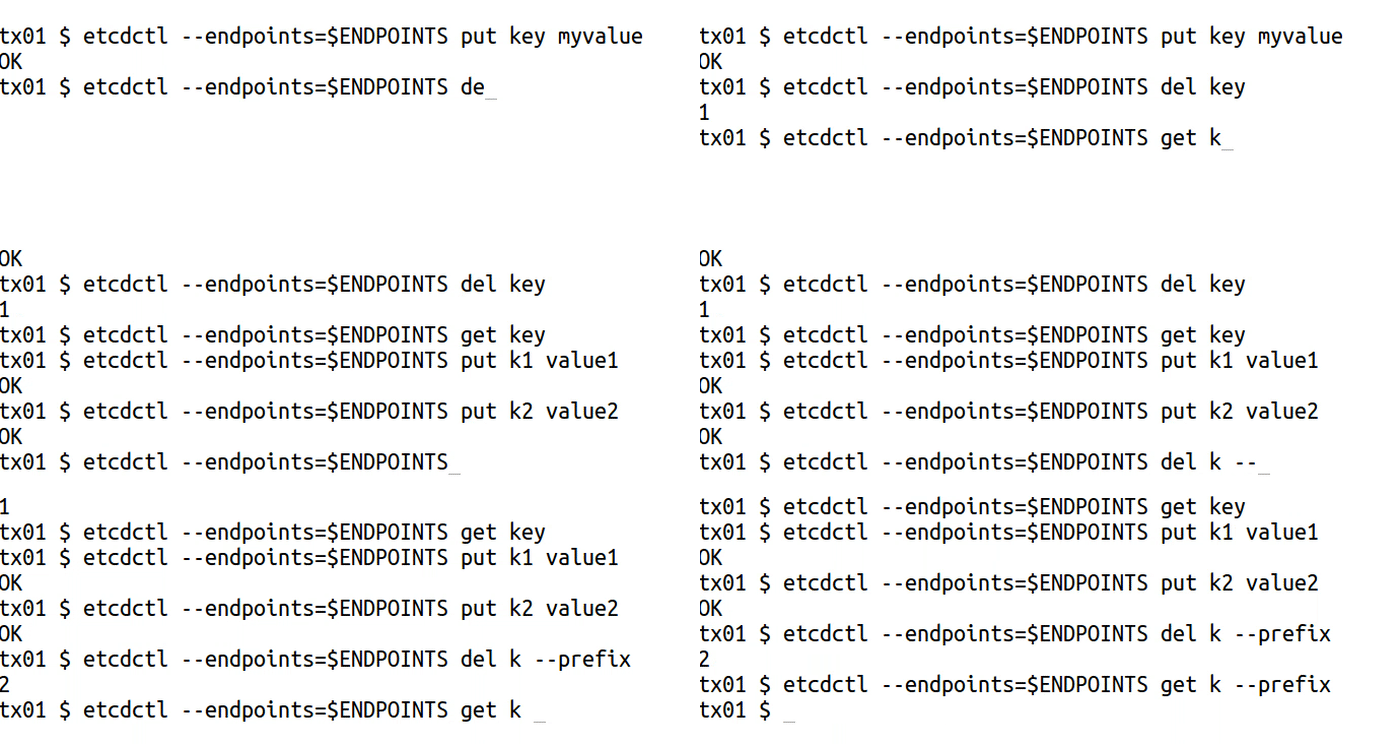
etcdctl --endpoints=$ENDPOINTS put key myvalue
etcdctl --endpoints=$ENDPOINTS del key

etcdctl --endpoints=$ENDPOINTS put k1 value1
etcdctl --endpoints=$ENDPOINTS put k2 value2
etcdctl --endpoints=$ENDPOINTS del k --prefix
-i, --interactive[=false]: interactive mode
--prefix[=false]: watch on a prefix if prefix is set--rev=0: Revision to start watching
--prev-kv[=false]: get the previous key-value pair before the event happens
--progress-notify[=false]: get periodic watch progress notification from server
继承自父命令的选项
--endpoints="127.0.0.1:2379": gRPC endpoints
示例
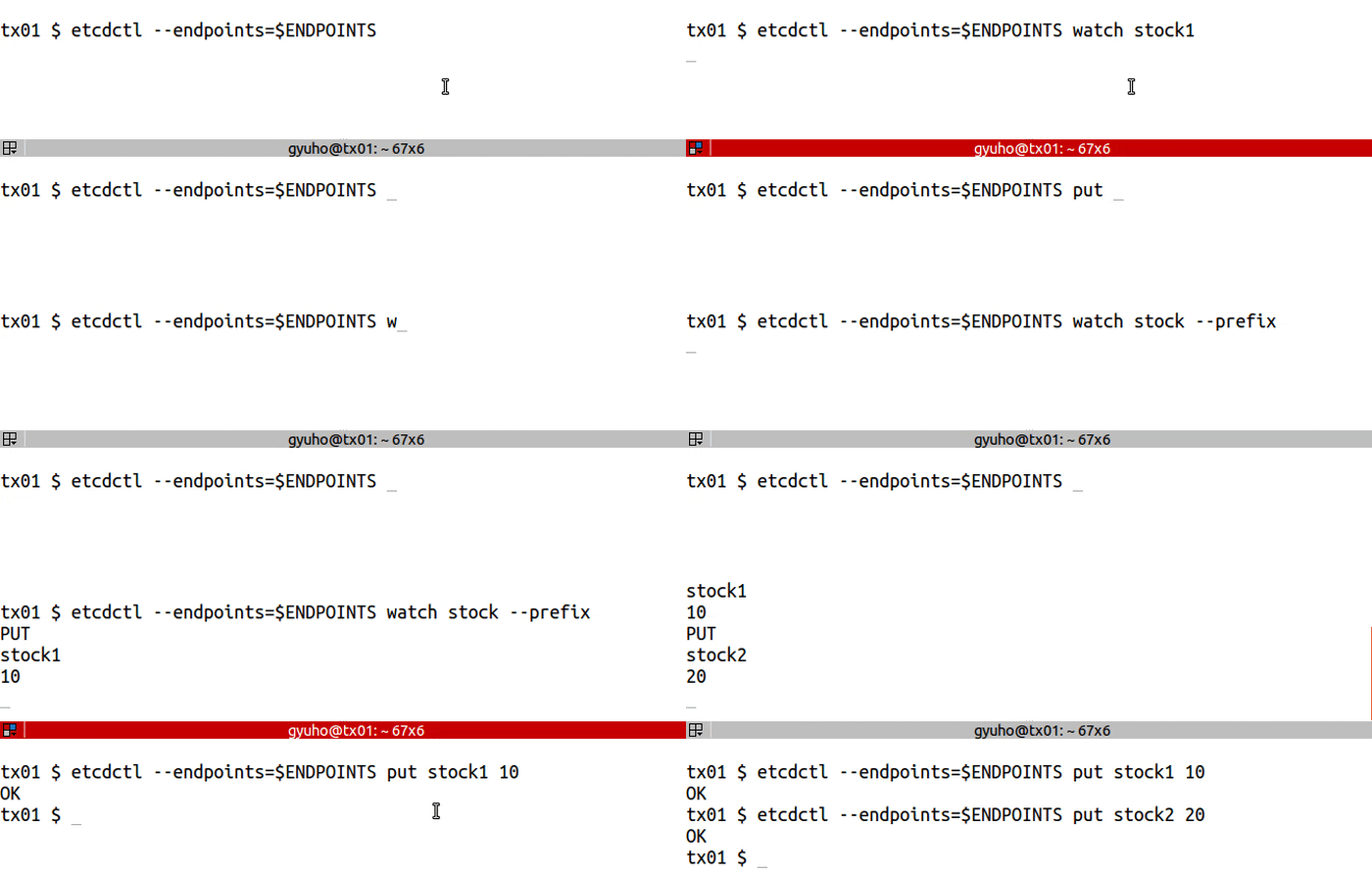
etcdctl --endpoints=$ENDPOINTS watch stock1
etcdctl --endpoints=$ENDPOINTS put stock1 1000etcdctl --endpoints=$ENDPOINTS watch stock --prefix
etcdctl --endpoints=$ENDPOINTS put stock1 10etcdctl --endpoints=$ENDPOINTS put stock2 20
2.7 - 如何创建租约
etcd 租约创建指南
lease 以 TTL 写入:
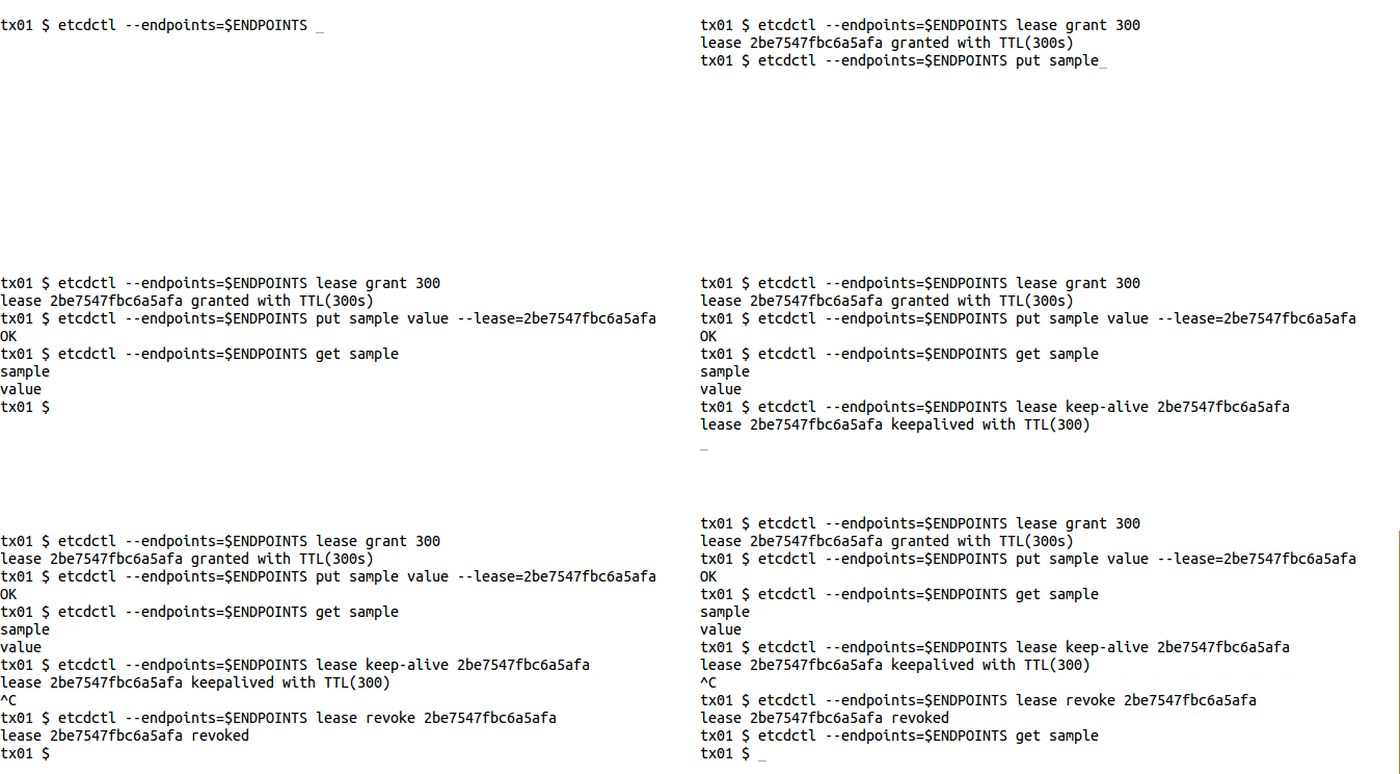
etcdctl --endpoints=$ENDPOINTS lease grant 300# lease 2be7547fbc6a5afa granted with TTL(300s)etcdctl --endpoints=$ENDPOINTS put sample value --lease=2be7547fbc6a5afa
etcdctl --endpoints=$ENDPOINTS get sample
etcdctl --endpoints=$ENDPOINTS lease keep-alive 2be7547fbc6a5afa
etcdctl --endpoints=$ENDPOINTS lease revoke 2be7547fbc6a5afa
# or after 300 secondsetcdctl --endpoints=$ENDPOINTS get sample