This is the multi-page printable view of this section. .
Developer Tasks
1 - Reading from etcd
Prerequisites
- Install
etcdctl
Procedure
Use the get subcommand to read from etcd:
where:
foois the requested keyHello World!is the retrieved value
Or, for formatted output:
where write-out="json" causes the value to be output in JSON format (note that the key is not returned).
2 - Writing to etcd
Prerequisites
- Install
etcdctl
Procedure
Use the put subcommand to write a key-value pair:
where:
foois the key name"Hello World!"is the quote-delimited value
3 - How to get keys by prefix
Pre-requisites
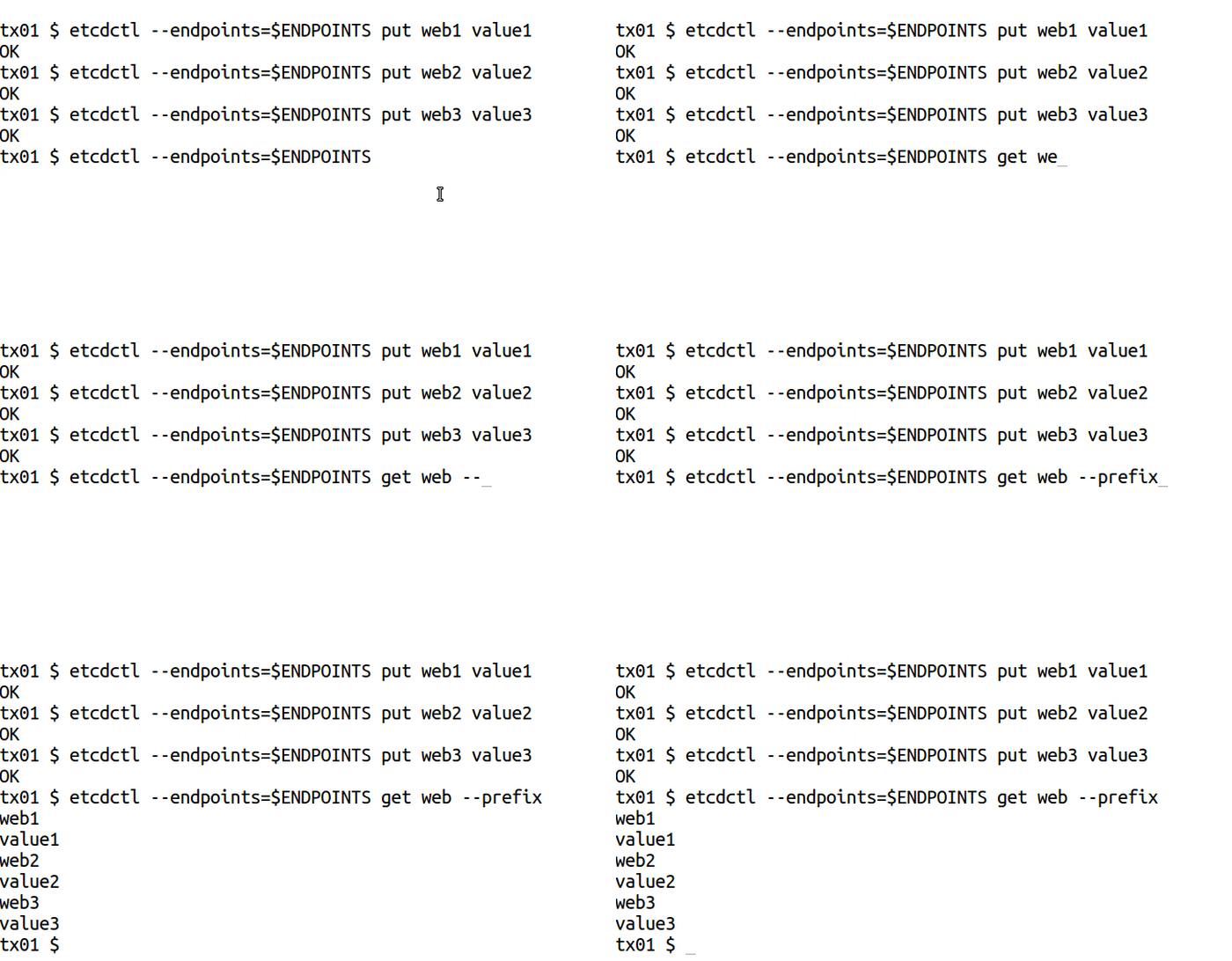
Get keys by prefix
Global Options
Options
Example
4 - How to delete keys
Prerequisites
- Install
etcdandetcdctl
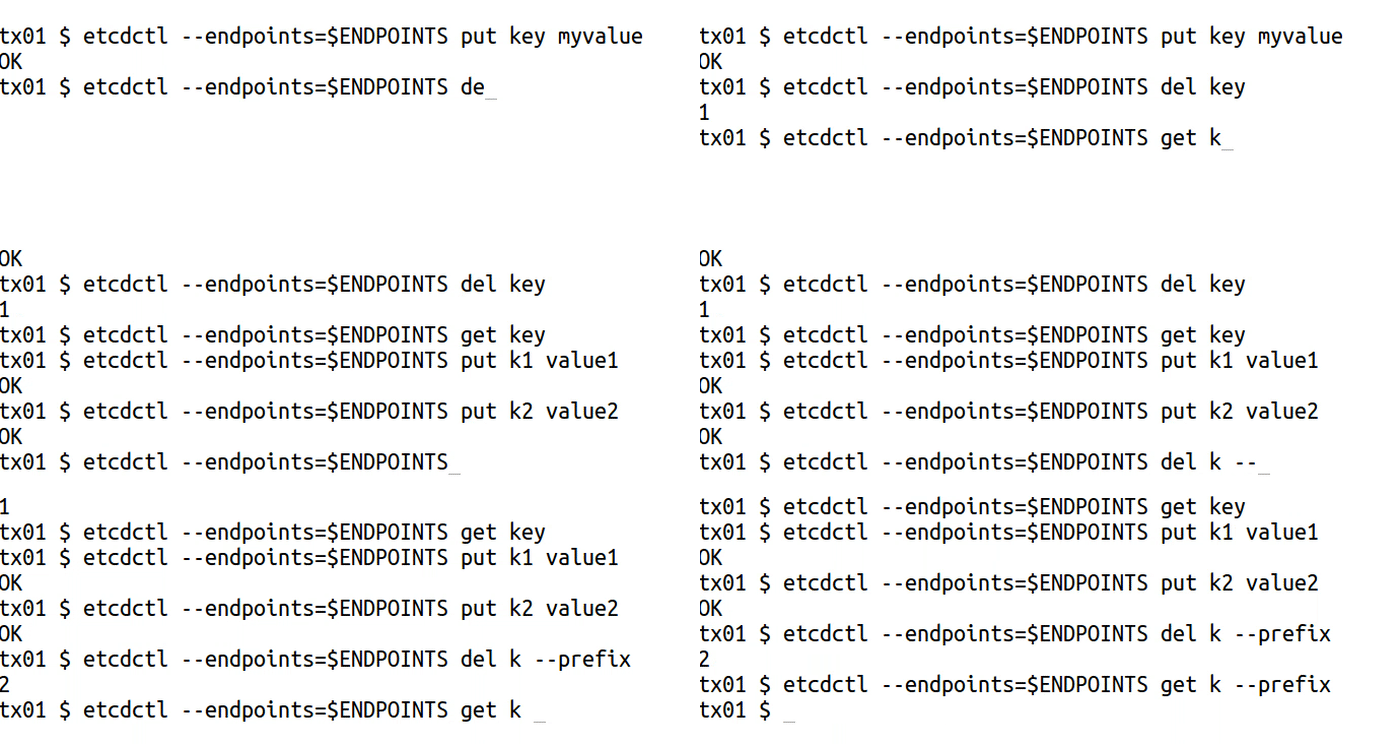
Add or delete keys
del to remove the specified key or range of keys:
Options
Options inherited from parent commands
Examples
5 - How to make multiple writes in a transaction
Prerequisites
- Install
etcdandetcdctl. - A running
etcdcluster.
Terminology
Here are definitions of some key terms used in the Example below.
| Terms | Definition |
|---|---|
| etcdctl | The command line tool for interacting with the etcd server. |
txn
command | txn command is an abbreviation for “transaction”. It reads multiple etcd requests from standard input and applies them as a single atomic transaction. A transaction consists of list of conditions, a list of requests to apply if all the conditions are true, and a list of requests to apply if any condition is false. View etcdctl key-value commands
for more information. |
compare | The compare clause within a transaction (txn) serves as a conditional check that determines whether the transaction’s operations should proceed. It ensures changes are only applied if the current state of the key-value store matches expected conditions, thereby maintaining data consistency and preventing conflicts in concurrent environments. To see how the command is structured, view Perform a transaction
section below. |
Transactions
txn to process all the requests in one transaction:
Transactions in etcd allow you to execute multiple operations atomically, ensuring that either all operations are applied or none are. This is crucial for maintaining data consistency when performing related updates. Learn more about transactions in the API documentation .
Example
Let’s consider a scenario where you want to update a user’s email and phone number in a single transaction. This ensures that both updates are applied together.

0. Variables and Flags used
| Variables |
|---|
/users/{<user_id>/email : etcd key representing a user’s email address. |
/users/<user_id>/phone : etcd key representing a user’s phone number. |
| Flags |
--interactive
: A flag to allow inputting transaction data manually |
1. Set up initial data
First, create a user with some initial data.
2. Perform a transaction
Update the user’s email and phone number in a single transaction.
- Compare: Check if the current email is “old.address@johndoe.com ”. This ensures the transaction only proceeds if the data is as expected.
- Success: If the comparison is true, update both the email and phone number.
- Failure: If the comparison fails, retrieve the current email to understand why the transaction didn’t proceed.
Important considerations
- Atomicity: The transaction ensures that both the email and phone number are updated together. If the initial condition (comparison) is not met, neither update is applied.
- Consistency: Using transactions maintains data consistency, especially when dealing with multiple related updates.
- Avoid multiple puts on the same key: Do not put multiple values for the same key within a single transaction, as this can lead to unexpected results. Each key should be updated only once per transaction.
6 - How to watch keys
Prerequisites
- Install
etcdandetcdctl
Watching keys
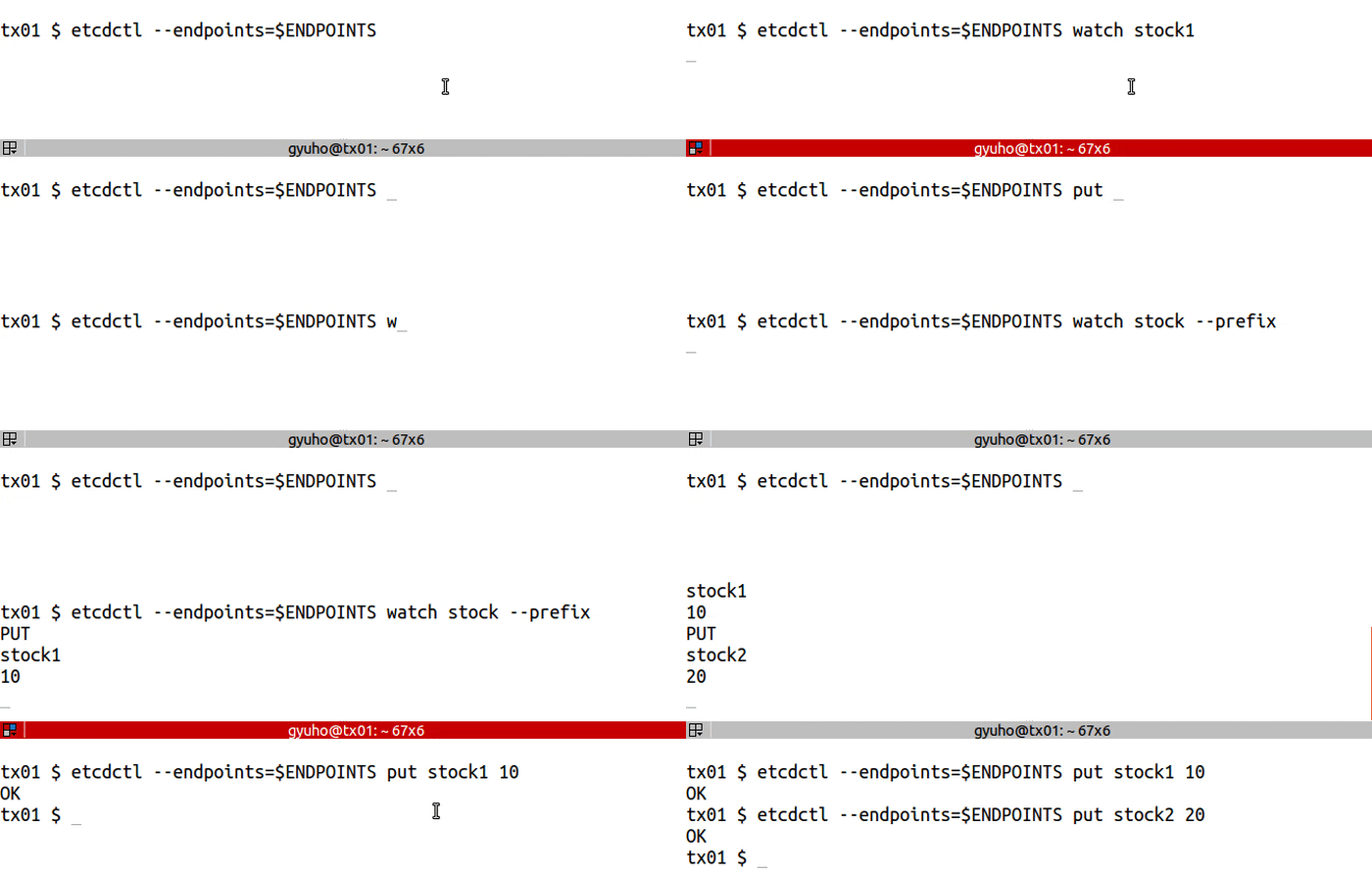
watch to get notified of future changes:
Options
Options inherited from parent commands
Examples
7 - How to create lease
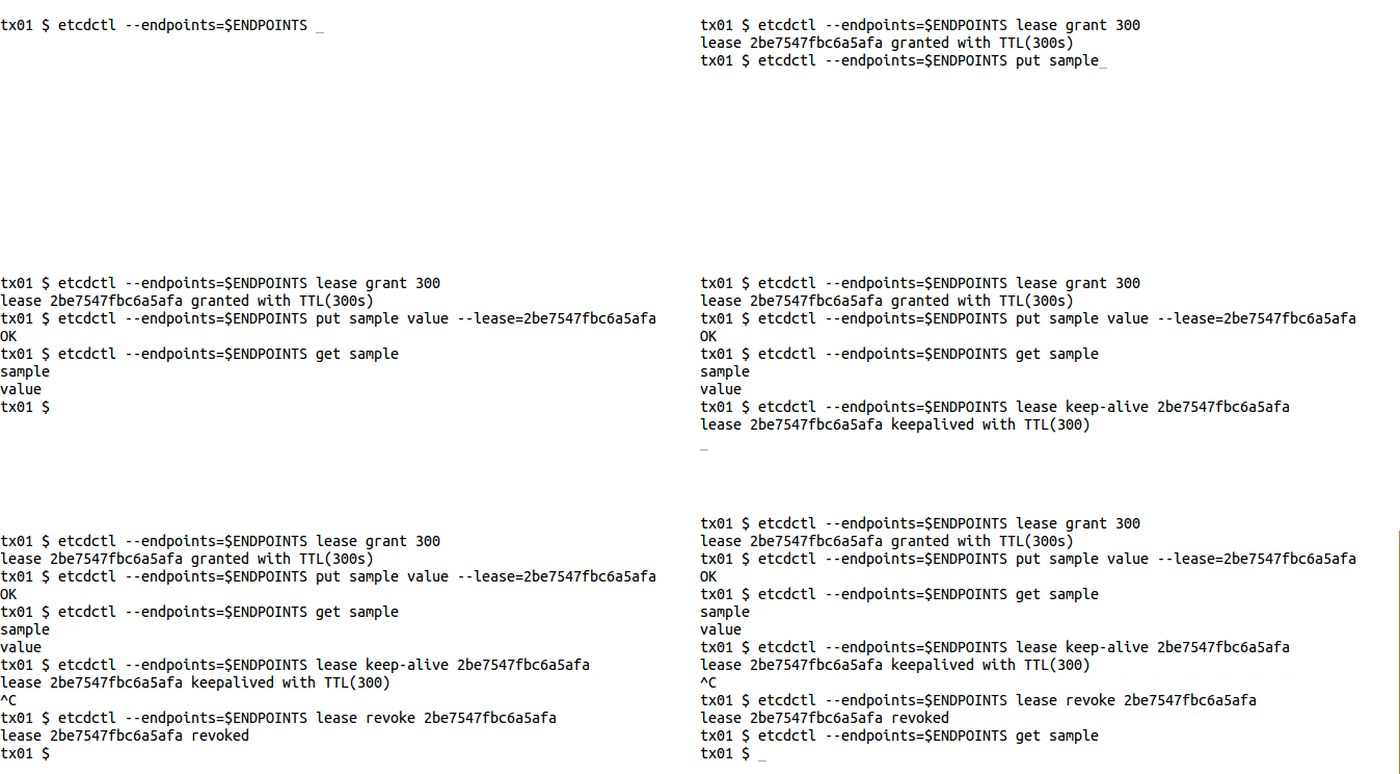
lease to write with TTL:
8 - How to create locks
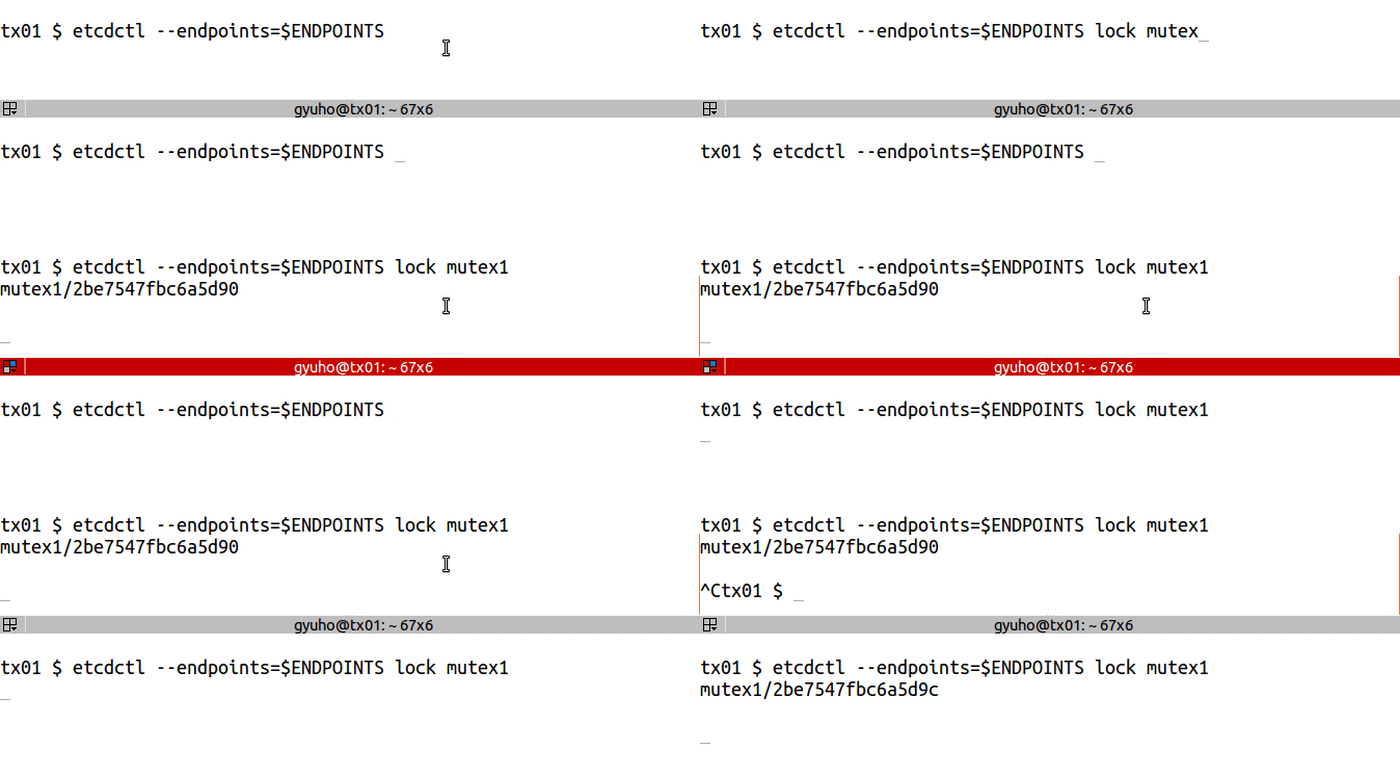
LOCK acquires a distributed mutex with a given name. Once the lock is acquired, it will be held until etcdctl is terminated.
Prerequisites
- Install
etcdandetcdctl
Creating a lock
lock for distributed lock:
Options
- endpoints - defines a comma-delimited list of machine addresses in the cluster.
- ttl - time out in seconds of lock session.